View ARIS Process Mining analyses for various items
In ARIS, you can view and use analyses created in ARIS Process Mining. You can display the analyses on the Process mining fact sheet that is available for various items, such as different object and model types or processes.
You can use the ARIS Process Mining analysis with minor restrictions in ARIS. For example, you can analyze different measures or filter values. For details on creating and using ARIS Process Mining analyses, see the ARIS Process Mining online help.
Prerequisite
You added an analysis created in ARIS Process Mining to a fact sheet.
You enabled the modification set that contains the customized fact sheet.
Click
 Application launcher >
  Published content.
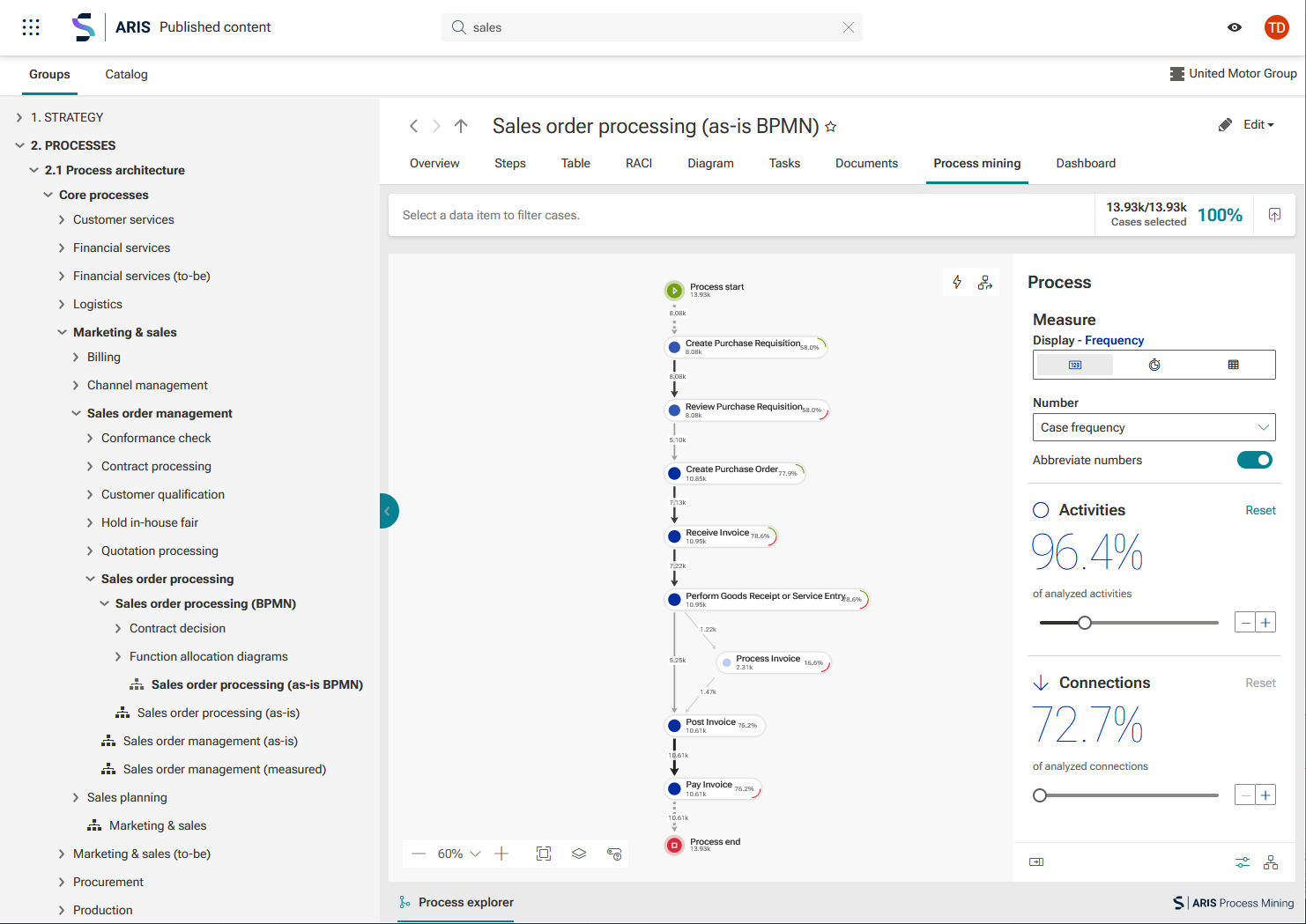
Navigate to the item, such as a process to which you assigned the ARIS Process Mining analysis, and open it, for example, the Sales order processing (as-is BPMN) process. The selected process opens with the Overview sheet.
Click the Process mining tab to display the corresponding sheet.
The Process mining sheet with the assigned ARIS Process Mining analysis is displayed.
The example shows an ARIS Process Mining analysis on the Process mining sheet of the Sales order processing (as-is BPMN) process.