Add a dashboard to the 'Dashboard' sheet
You can add a dashboard to the Dashboard sheet of a specific item, for example, a specific chain diagram of the chain item type.
Prerequisite
You have created your own modification set.
You have the Admin role and the Configuration administration privilege.
Click
 Application launcher >
  Administration.
Click User interface. All available configuration and modification sets are displayed.
Click the relevant modification set.
Click Fact sheets on the Define modification set page.
Move the mouse pointer to an item type, for example, chain. The item type should include Dashboard as a subordinate sheet.
Click
 Edit. The Edit fact sheet page opens. All subordinate sheets shown on the fact sheet are listed.
Move the mouse pointer to the Dashboard sheet in the list and click
 Edit. The page to edit the sheet opens.
Click
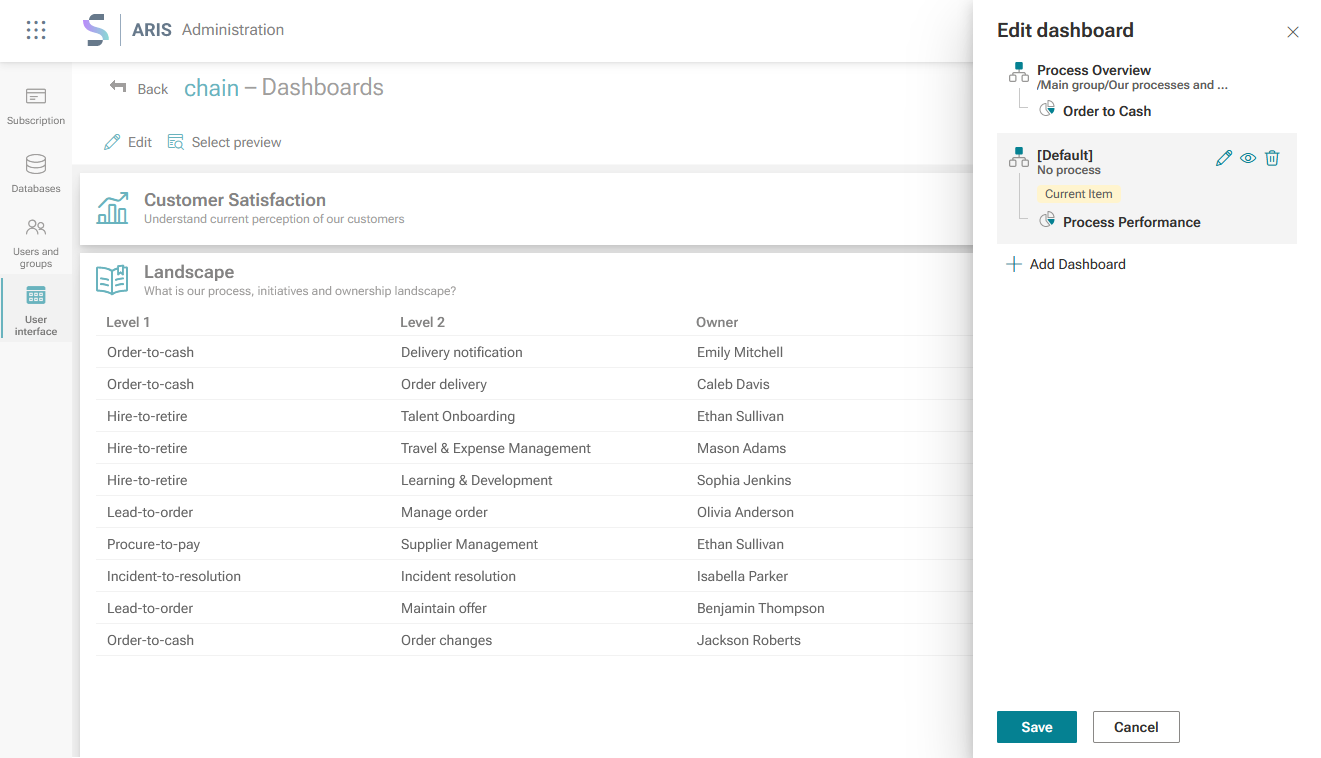
Edit. The Edit dashboard panel opens.Click + Add dashboard. The Select dashboard panel opens.
Select a dashboard. If you select only a dashboard and no item, the dashboard is defined as the default dashboard for all items of the selected item type. This means that the dashboard is displayed by default for all items of the selected item type.
Click + Assign process. The processes available for the selected item type are displayed.
Select a process.
Click Done. The selected dashboard and assigned process are listed in the Edit dashboard panel and a preview of the selected dashboard is displayed.
You can edit (
) or delete ( ) a dashboard and process assignment, and display a dashboard preview (
 ).
).Move the mouse pointer over a dashboard and process assignment in the Edit dashboard panel and click the relevant icon.
Click Save.
You added a dashboard to the Dashboard sheet of an item.
You can display a preview of the selected dashboard for a certain item. Click Select preview on the sheet page. The Select preview panel opens. Select a database from the drop-down menu and a item from the list (filterd by the item type) in the panel.
Note that you must enable the modification set for your changes to be displayed. By default, the Default modification set is enabled.
Example